
-
Oh no! The item you want is checked out from the library by someone else?
Place a hold on it so that your librarians will save it for you when it is returned.
Log In to Your Library Account
-
Visit the WMS Library Catalog
-
At the top of the screen, click Log In
-
Your library card number is: MCPS####### (#s = your lunch number)
-
Your initial password is: CHANGEME
-
After login in, click on My Account
-
Change your PIN to match your computer password, or make it something you can remember.
Placing a Hold
-
Search for the title you want
-
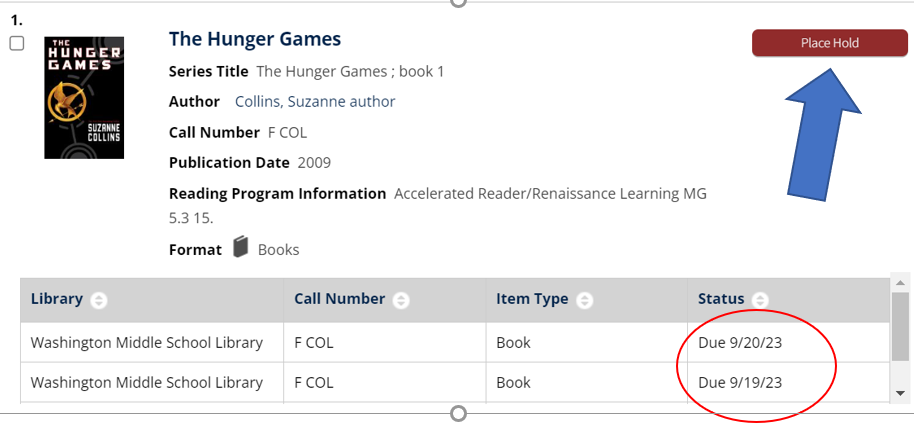
Check Status of item on the right side of the screen
-
If it's checked out, click the red Place Hold button
-
Click Place Holds again
-
Check the holds window in the library after a few days to see if your item has arrived
Please check with Mrs. Murray or Mrs. Hossack if you have any questions.
-
